¶ Finding your domain name
Your domain name records are kept in your hosting order. If you have more than one hosting order, you may need to click through each one to find the hosting order holding the domain name you would like to modify.
- On the left had side of the screen, click the "DNS" tab:
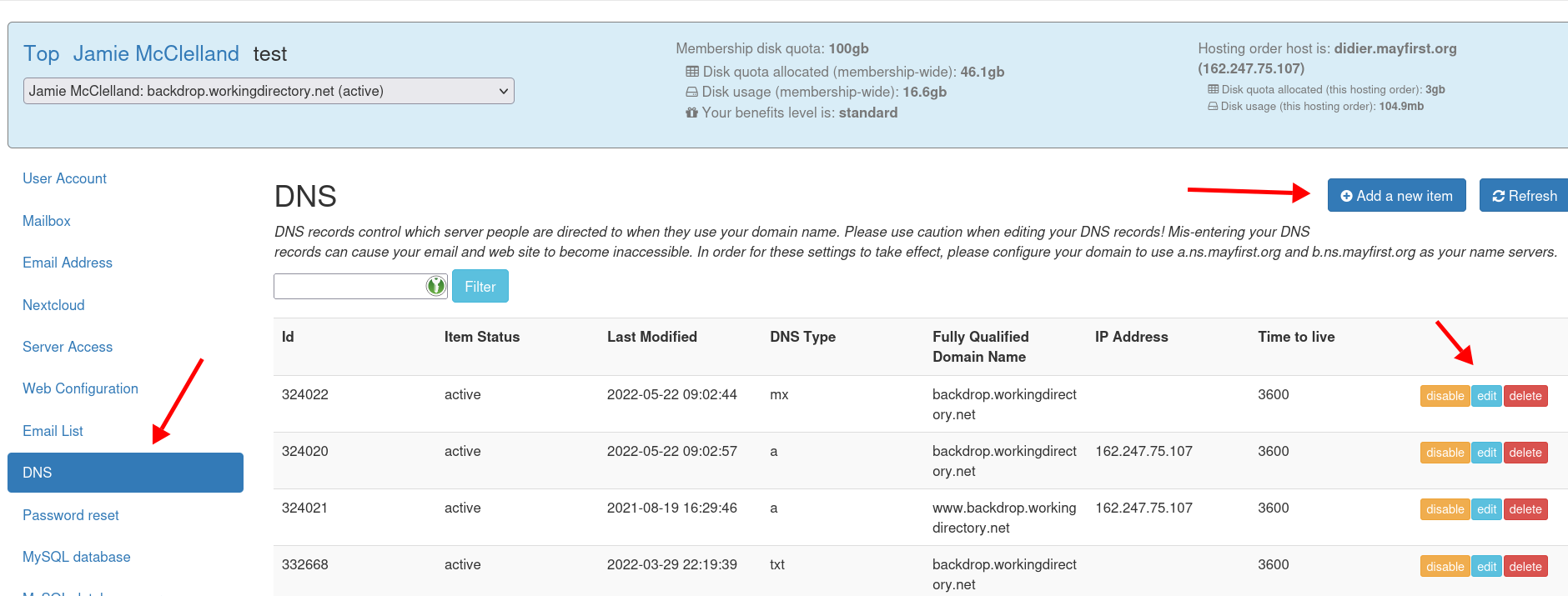
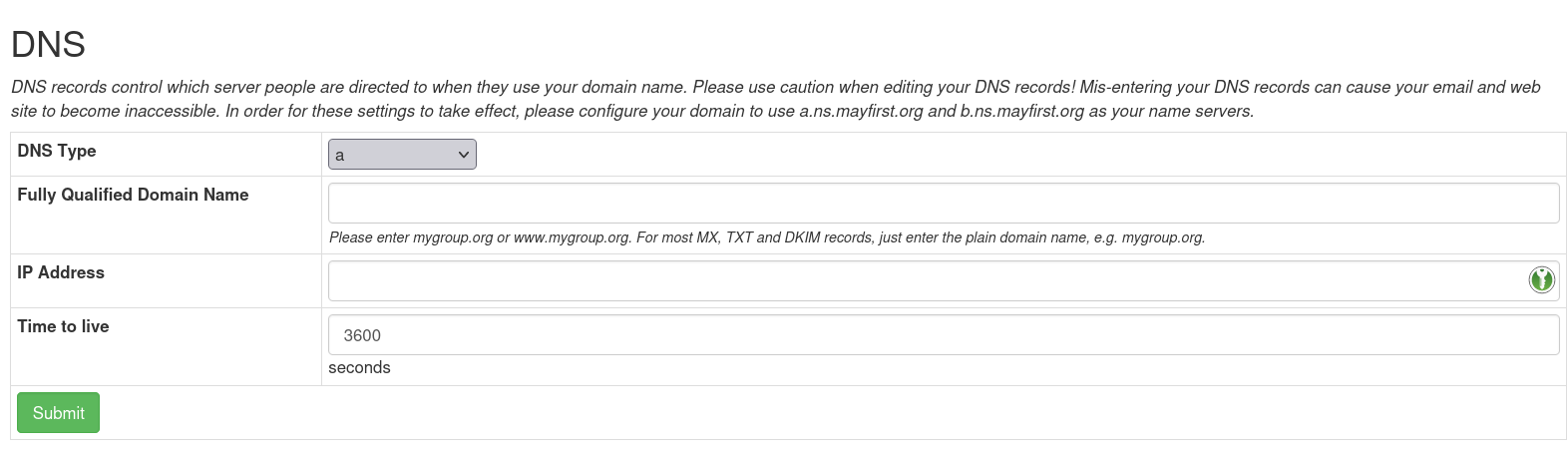
- When adding or editing a record, the available fields will vary depending on the type of DNS record you are adding:
¶ Available DNS types
Using the control panel, you can create the following DNS types:
- A - Associating a domain name with an ipv4 address
- AAAA - Associating a domain name with an ipv6 address
- MX - Pointing a domain name to the servers responsible for handling its email. See our MX guide
- CNAME - Pointing an entire root domain name to another root domain name (note: you cannot add a CNAME record for a domain name that already has DNS records assigned to it)
- ALIAS - Pointing a domain name to another domain name (note: this is only available for pointing a domain name to May First web proxy servers)
- TXT - Associating text with a given domain name. Often used for demontrating that you own a domain name and for email validation (see also our guide to SPF records and our DKIM guide.
- DKIM - a special record the results in a TXT record for DKIM purposes. See our DKIM guide for more information.
- SRV - associating a domain name with a given Internet service (e.g. xmpp chat)
- SSHFP - associating a given secure shell public key with a given domain name.
- CAA - specify which certificate authority is allowed to issue certificates for your domain name (e.g. for an https secured web site).
¶ Understanding the fields
- Most DNS types in the May First control panel will ask for the "Fully Qualified Domain Name" (FQDN) - the FQDN means the complete domain name, e.g. example.com or www.example.com or www.project.example.com
The DNS editing user interface for other DNS providers often appear different and do not ask for the "Fully Qualified Domain Name". These often refer to the base domain as @ and only ask you to create records for the prefix portion of any subdomains. For example to create www.example.com they will only ask you to enter www assuming you are already editing records for the base domain example.com Keep this difference in mind when following external instructions for creating DNS records.
When asking you to create a subdomain record like www.example.com with other providers or when following their instructions, the DNS editing user interface might instruct to create a record for just the prefix portion of the subdomain but in the May First control panel you will need to write out the entire fully qualified domain. So if for example somesubdomain. this should be created as subdomain.yourdomain.org in the MF control panel.
- All DNS types will ask for the "Time to live" (TTL) - the TTL means the longest number of seconds it will take for a future change to this record to propagate throughout the Internet. It cannot be lower than 300. 3600 is recommended.
¶ Remember to point to May First
Your domain name must be configured to use the May First DNS servers in order for these settings to take effect. Learn more about pointing your domain names.