¶ Help! My calendar invitations are not being sent
¶ By Default - calendar invites are sent via Nextcloud
When you are synchronizing your Thunderbird calendar using Nextcloud, then Nextcloud will send the invitations from the nextcloud-notifications@mail.mayfirst.org email address.
However, invitations are only sent if you own the calendar. If you are using a shared calendar, invitations will not be sent.
¶ Use "client-side" email scheduling
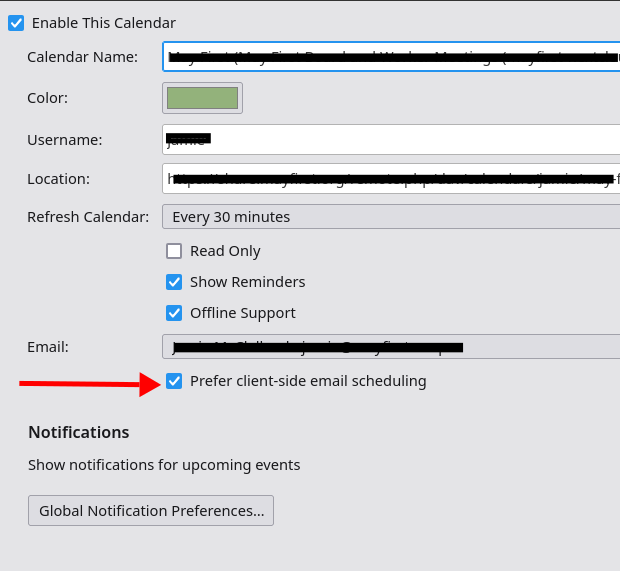
For every calendar, you can opt instead to send the notification emails from Thunderbird. To activate this setting, right click on the calendar in your sidebar, and click "properties."
Then, check the box for "Prefer client-side email scheduling".