¶ How to pay your Membership Dues
¶ Get the link
Start by visiting our membership dues payment page.
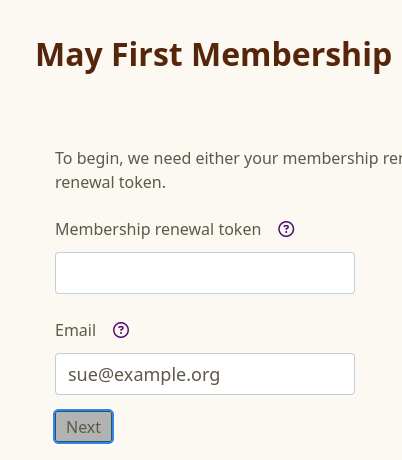
If you were sent a renewal token by email, you can enter it in the "Membership Renewal Token" field. But if not, you can simply enter your email address in the email field:
Note: If you do not know the admin address associated with your account, contact the membership office.
¶ Confirm the details
Next, you will receive an email with a link that returns you to this page.
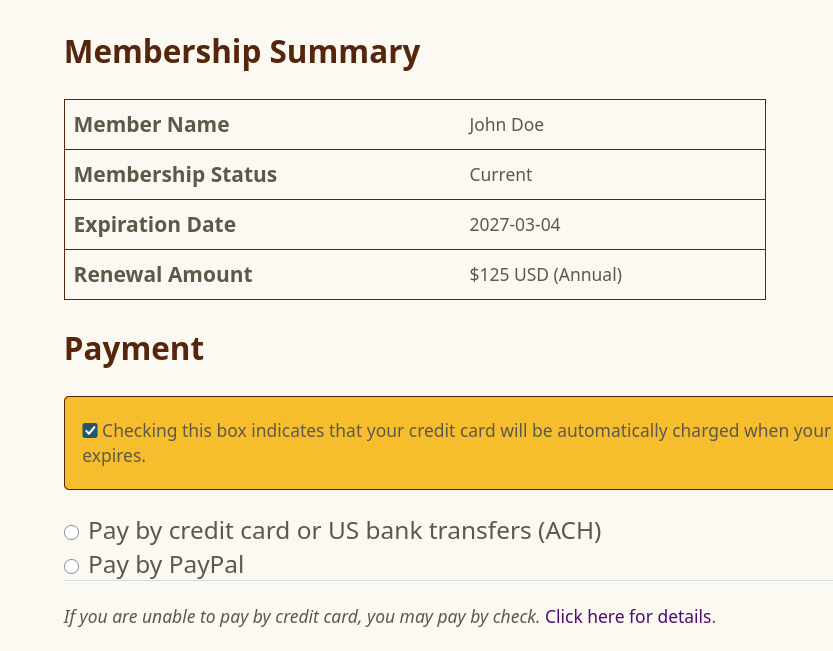
When you click on the link, you will see information about your membership status and the ability to pay. Be sure to review the expiration date and the amount due before choosing your payment method and paying:
¶ Make the payment
Click one of the two payment options (credit card or PayPal) and then follow the instructions to complete the payment. When done you should get a thank you page:
